2- We began the exercise by learning how to operate a camera properly. The exposure triangle consists of three settings, the ISO, the Aperture and shutter speed, if they are all correctly set up the little bar at the bottom of the screen which shows you if you are over or under exposed should be in the middle line. if its over exposed it will be moving towards the + and if its under exposed it will move to the -.
-3 -2 -1|+1 +2 +3
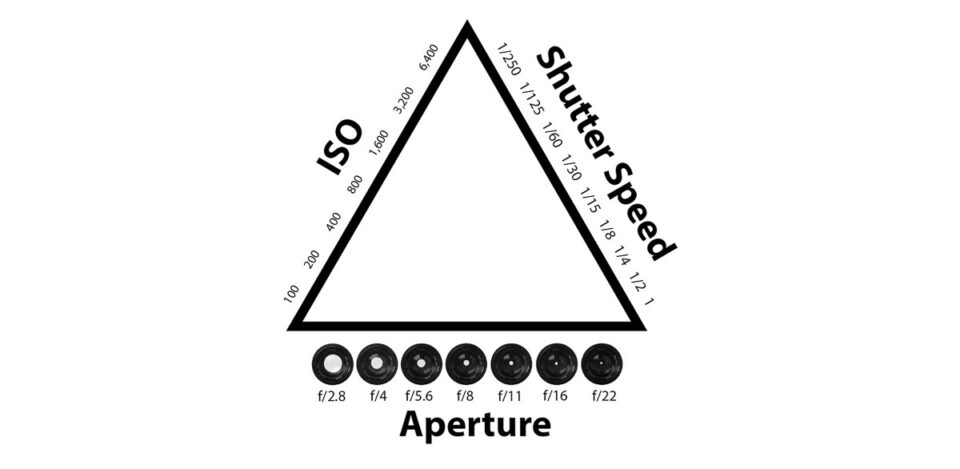 I took this course last year and I remember doing similar tasks for my introduction. I learned everything that I have already went through within the last few lessons, it was a good refresher though as over the summer holidays some of the things that I have learned fell out of my head. But now I am fully capable of handling a camera and creating a simple film.
 To create a shallow depth of field you have to have a low f-stop. This will allow one item which is close to the camera to be in focus whilst everything behind that item will be out of focus giving it a authentic look.
We learned how to import our footage onto a mac and we also learned how to arrange our 'bins' so that we wont have our footage, audio and titles mixed up with one another so that our editing experience will be much easier.
To import the footage from a camera to a mac we need a SD card, this will record all of the information we need such as photographs and film. We then plug the SD card into the mac and move the files into a personalized folder which will contain all of the footage.
To edit all of the footage we used the program Adobe Premiere Pro, we learned the basics of editing.
We were given a task in which we have had to use a zoom or zoom out, we had to change the speed of the footage either quicker or slower, and also we had to use a variety of transitions so that the footage wont end up really boring. This was a good insight on how to use premiere pro and it allowed me to refresh all the knowledge that I learned from last year.
I got my music from the website called www.incompetech.com.
Here you can use all of the music which is displayed as long as you use the link provided to credit the owner of the music. Without crediting the author of the song there may be a chance of getting copyrighted.
Another website is www.bensound.com. Yet again you have to credit the website along side the name of the song.

This is a nice shot due to how steady it is and also how i manage to zoom in on to Mr David Davidson.
What could have been improved on this shot is the focus. It was not focused on anything which gave the shot a somewhat grainy look when it was zoomed in.
If i were to focus on David, the shot would have looked a lot better.
